One Salesforce partner, from first touch to renewal.
Revenue Cloud Advanced
Quotes in minutes, accurate pricing every time, and billing and renewals that run themselves. Plus a clear path off Salesforce CPQ.
Learn more →Agentforce
AI agents that take real work off your team, grounded in your Salesforce data.
Learn more →Sales Cloud
Leads, opportunities and forecasting in one pipeline your reps will actually use.
Learn more →Service Cloud
Faster case resolution with smart routing, clear SLAs and self-service answers.
Learn more →Field Service
The right technician at the right job, with scheduling and a mobile app for crews.
Learn more →Experience Cloud
Branded portals where partners and customers can find answers, place orders and track their requests.
Learn more →Consumer Goods Cloud
Retail execution for field reps: visit planning, store audits and order capture.
Learn more →Marketing Cloud
Personalized journeys across email, SMS and ads, driven by unified customer data.
Learn more →MuleSoft
API-led integration that connects Salesforce to your ERP, finance and legacy systems.
Learn more →Let’s build your Salesforce success story.
A free 45-minute discovery workshop. No cost, no obligation. A tailored roadmap within days.
Salesforce experts who care about your business
SystMech is a Salesforce consulting partner. We implement, integrate and support Salesforce for businesses that want it to drive real growth, not just store data. From the first workshop to ongoing support, our certified consultants, developers and architects stay focused on the outcomes that matter to you: faster sales cycles, better customer service and higher adoption. We believe we succeed when our customers succeed.
Most Salesforce programs don’t fail on strategy. They stall on execution.
Four commitments shape every engagement we take on.
Speed to value
Lean delivery pods and reusable accelerators shorten the path to go-live, with clear milestones from week one.
Deep Salesforce expertise
15+ certified experts holding 50+ Salesforce certifications, with extensive experience helping growth-stage and SMB teams, and the depth to scale with you as you grow.
Full-lifecycle coverage
One partner across the Salesforce platform, from marketing and sales to revenue, service and AI.
Pricing built for SMBs
Competitive rates and right-sized scopes designed for growing teams, so you get enterprise-quality Salesforce work without the enterprise price tag.
Everything you need from a Salesforce partner.
Implementation
Setting up Salesforce from the ground up, configured around how your team actually sells and serves customers. Includes user training and go-live support so your people are confident from day one.
01Custom Development
When standard features aren’t enough, we build custom apps, screens and automations. Everything is built to be easy to maintain as your business changes.
02Data Migration
Moving your customer records, history and documents from spreadsheets or old systems into Salesforce. We clean, map and check the data so nothing is lost and your team can trust what they see.
03Integration Services
Connecting Salesforce to the other systems you rely on, such as your ERP, accounting and marketing tools. Data flows automatically, so your team stops re-entering it in two places.
04AI & Agentforce Enablement
Finding the tasks where AI can save your team real time, then building and launching AI agents safely. We start small, measure the impact, then scale what works.
05Managed Services
Ongoing admin and development support after go-live. We handle fixes, improvements and new requests each month, so your Salesforce keeps up with your business.
06How can we help?
Pick the area you want to improve and we’ll show you what Salesforce can do for it.
Go-to-Market Framework
Marketing automation, data enrichment, lead routing and sales engagement tools, built on a data model that holds up as you grow.
Sales Automation
Automate the repetitive steps in your sales process, including document generation, e-signature and approvals.
Billing & Financials
Accurate invoicing and payments with Revenue Cloud billing, or a clean connection to the finance system you already run.
Quote-to-Cash
Faster, error-free quoting, contracts and renewals on Revenue Cloud Advanced.
Customer Management
Make account management, customer success and support processes more efficient with automation.
Field Operations
Smarter scheduling and mobile tools for technicians and field teams.
What our customers say
Let’s talk about what success looks like for you.
Book a free 45-minute discovery workshop with our team.
Salesforce consulting, from first setup to AI agents.
Certified admins, developers, consultants and architects who implement, integrate and support the Salesforce products your business runs on.
Revenue Cloud Advanced
Quotes in minutes, accurate pricing every time, and billing and renewals that run themselves. Plus a clear path off Salesforce CPQ.
Learn more →Agentforce
AI agents that take real work off your team, grounded in your Salesforce data.
Learn more →Sales Cloud
Leads, opportunities and forecasting in one pipeline your reps will actually use.
Learn more →Service Cloud
Faster case resolution with smart routing, clear SLAs and self-service answers.
Learn more →Field Service
The right technician at the right job, with scheduling and a mobile app for crews.
Learn more →Experience Cloud
Branded portals where partners and customers can find answers, place orders and track their requests.
Learn more →Consumer Goods Cloud
Retail execution for field reps: visit planning, store audits and order capture.
Learn more →Marketing Cloud
Personalized journeys across email, SMS and ads, driven by unified customer data.
Learn more →MuleSoft
API-led integration that connects Salesforce to your ERP, finance and legacy systems.
Learn more →The engineering depth behind every engagement.
Integration & DocGen
MuleSoft, Jitterbit, Celigo, Zapier · REST/SOAP, Platform Events, CDC, Pub/Sub API · DocuSign, PandaDoc, OmniStudio
Development
Apex, Lightning, Flow orchestration · ISV & AppExchange packages · cross-platform mobile · Spring Boot microservices
Analytics
Salesforce reports & dashboards · CRM Analytics · Tableau · custom Python dashboards
AI
Agentforce, LangGraph, LangSmith, Temporal · vision AI & document intelligence · AWS Textract, Azure Document Intelligence
Security & identity
Okta, OneLogin, Entra ID · Cognito, Auth0 · Salesforce Identity · OAuth 2.0 with PKCE
Cloud (AWS)
Lambda, ECS/EKS, API Gateway · RDS, DynamoDB, S3 · EventBridge, SQS/SNS · Terraform/CDK
Not sure which product to start with? We’ll map it with you.
A free 45-minute discovery workshop. You leave with a clear next step.
Quote faster, bill accurately, renew on time.
Revenue Cloud Advanced (RCA) is our specialty. We set up your products, pricing and quoting in Salesforce, then connect contracts, billing and renewals, so your whole revenue process runs in one place and your team stops chasing spreadsheets.
Still on Salesforce CPQ? Salesforce is no longer adding new features to it. We’ll move you to RCA without disrupting your active contracts or renewals.
Every part of Revenue Cloud Advanced, configured to how you sell.
Product Catalog Management
All your products, bundles and pricing models (one-time, subscription or usage) set up once and kept consistent everywhere you sell.
Product Configurator
Guides reps to build only valid product combinations, so mistakes are caught before a quote goes out.
Salesforce Pricing
Discounts, volume tiers and special pricing applied automatically, with a clear breakdown reps can explain to customers.
Quotes & Transaction Management
Quotes for new deals, upgrades, renewals and cancellations in minutes, with mid-term changes and prorated pricing calculated for you.
Advanced Approvals
Discount and deal approvals sent to the right people automatically, so deals don’t stall waiting for a sign-off.
Contracts & Assets
Contracts created straight from accepted quotes, with a clear view of what each customer owns and when it’s due for renewal.
Dynamic Revenue Orchestrator
Once a deal closes, orders flow automatically to the teams and systems that deliver them.
Billing & Usage
Invoices, payments and collections handled in Salesforce, including billing for usage-based products.
Agentforce for Revenue
AI agents that create, summarize and update quotes from a simple request, saving reps time on every deal.
Move off CPQ without breaking your renewals.
Salesforce is no longer adding new features to CPQ, and RCA is built differently, so a simple copy-across won’t work. The hard part is moving your active subscriptions, contracts and assets so every future change and renewal still prices correctly.
Our team has rebuilt CPQ pricing and product rules in RCA before, so we know where the two products differ and how to avoid surprises. Your reps keep quoting throughout, and every active contract renews at the right price.
- 1AssessReview your current CPQ setup, including products, pricing, approvals and custom code, and flag what RCA handles out of the box and what needs a redesign.
- 2RedesignMap CPQ objects to the RCA catalog, selling models, pricing procedures and configurator rules. Simplify what grew messy over the years.
- 3Build & migrateConfigure RCA in sprints and migrate active contracts, subscriptions and assets, with checks at every step to confirm the data matches.
- 4Cut overRun new deals in RCA while legacy deals finish in CPQ, or switch in one go. Rep training and support after launch included.
Revenue Cloud Advanced FAQ
Is Salesforce CPQ going away?
Salesforce CPQ still runs, but Salesforce is no longer adding new features to it. New capabilities go into Revenue Cloud Advanced. Most CPQ customers are planning their move now so it fits their renewal cycle.
Can CPQ and RCA run side by side?
Yes, in the same org for a transition period. New deals go through RCA while existing CPQ contracts finish or are migrated. We design that phase so reps always know which tool to use.
How long does an implementation take?
Most RCA implementations and CPQ migrations take 12–20 weeks, depending on catalog size, pricing complexity and how much contract data moves across.
Do we need billing in Salesforce too?
No. Many clients quote and contract in RCA and invoice in their ERP. We set up the order hand-off either way, and can add Salesforce billing later.
Can RCA connect to our ERP or accounting system?
Yes. We’ve connected RCA to NetSuite, SAP, QuickBooks and other finance systems using MuleSoft, Jitterbit and Celigo, so orders, invoices and payments flow automatically without re-entering data.
Find out what RCA would look like for your business.
A free 45-minute session with an RCA specialist. Bring your price book and your hardest deal.
Put AI agents to work on real tasks, safely.
We build AI agents that answer customers, help your reps and handle routine work, using your own Salesforce data and clear rules you control.
What an agent can do for you
A few of the ways growing teams put Agentforce to work.
Answer customer questions 24/7
Order status, FAQs and simple requests handled instantly, with a smooth hand-off to a person when needed.
Qualify and follow up on leads
Respond to new inquiries in seconds, ask the right questions and book meetings straight into your reps’ calendars.
Summarize cases and calls
Give your service team the full picture of any customer or case in seconds, instead of scrolling through history.
Prepare quotes and emails
Draft quotes, follow-up emails and updates from a simple request, ready for a rep to review and send.
Agentforce services
Use-case discovery
Find the tasks where an agent saves the most time, and define what success looks like before building.
Agent design
Clear instructions and boundaries for each agent, so it does one job well and stays on task.
Custom actions
Let agents do real work in Salesforce, like updating records, creating cases or changing a quote.
Data grounding
Connect agents to your own records and help articles, so every answer comes from your data.
Testing & guardrails
We test every agent against real scenarios and set clear rules for when it hands off to a person, before anything goes live.
Launch & ongoing tuning
We monitor how your agents perform after go-live and keep improving their answers and actions.
Agentforce FAQ
Is our data safe?
Yes. Agentforce runs inside Salesforce and follows your existing security and sharing rules, so an agent only sees what it’s allowed to see. Salesforce’s Einstein Trust Layer also keeps your data from being stored or used to train outside AI models.
Do we need Data 360?
Not always. Many agents work well with your existing Salesforce records and help articles. We’ll only recommend Data 360 if your agents need data from outside Salesforce.
Will an agent replace my team?
No. Agents take on repetitive work, like answering common questions or updating records, so your people can focus on the work that needs judgment. Every agent we build hands off to a person when it should.
How do we get started?
With a free 45-minute session. We’ll look at where your team loses the most time, suggest one or two agents to start with, and measure the impact before scaling.
Planning an Agentforce project?
Book a free 45-minute session with a certified consultant.
A sales pipeline your reps trust and leaders can forecast.
We set up Sales Cloud around how your team actually sells, so reps use it every day, your pipeline stays clean and forecasts hold up.
Problems we help sales teams fix
If any of these sound like your team, Sales Cloud set up the right way can help.
Pipeline lives in spreadsheets
Deals sit in spreadsheets and inboxes, so nobody sees the full picture.
Reps avoid the CRM
Too many fields and clicks, so data goes missing and reports can’t be trusted.
Leads go cold
New inquiries wait hours or days for a reply.
Forecasts are guesswork
Leadership can’t tell what will close this quarter.
Sales Cloud services
Lead management & routing
New leads captured, scored and sent to the right rep automatically, so no inquiry slips through.
Campaign management
See which campaigns bring in real deals, from first touch to closed revenue.
Opportunity stages & Path
A clear sales process with the right steps and tips at each stage, so every rep sells the same way.
Forecasting
Reliable forecasts and quota tracking, so leaders know what will close this quarter.
Quoting & price books
Simple quotes from your price list inside Salesforce, with a clear path to Revenue Cloud Advanced as you grow.
Activity capture
Emails and meetings logged automatically, so reps spend time selling, not on data entry.
Sales Cloud FAQ
We already use Sales Cloud. Can you fix our setup?
Yes. We review what you have, clean up fields, automation and reports, and simplify it so your team actually uses it.
Can you move us from spreadsheets or another CRM?
Yes. We map, clean and migrate your accounts, contacts, deals and history, so nothing is lost.
Will my team actually use it?
We design around how your reps work, keep screens simple, and include training and go-live support.
How long does a setup take?
It depends on your team size, sales process and how much data moves across. After a free discovery session, you’ll get a clear timeline before any work starts.
Planning a Sales Cloud project?
Book a free 45-minute session with a certified consultant.
Resolve cases faster and keep customers coming back.
We set up Service Cloud so every case reaches the right person fast, nothing slips past a deadline, and customers can find answers on their own.
Problems we help service teams fix
If any of these sound like your support team, Service Cloud set up the right way can help.
Requests scattered everywhere
Emails, calls and chats in different places, so cases get lost or answered twice.
Customers repeat themselves
Agents can’t see past conversations, so every contact starts from scratch.
Missed response times
No one knows which cases are close to breaching a promised deadline.
The same questions, over and over
Your team answers the same simple questions all day.
Service Cloud services
Case management
Every request in one place, with the customer’s full history right beside it.
Omni-Channel routing
Each case sent automatically to the right available person, whether it arrives by email, chat, phone or web.
Entitlements & milestones
Response and resolution deadlines tracked with timers and alerts, so nothing breaches without warning.
Email-to-Case & Web-to-Case
Incoming emails and web forms turned into cases automatically, with no copying and pasting.
Knowledge
A searchable help library for your team and your customers, kept accurate with simple review steps.
Service agents
AI agents that answer routine questions around the clock and hand off smoothly to your team.
Service Cloud FAQ
Can customers help themselves?
Yes. We set up a help centre and AI agents so customers can find answers and track their requests without waiting.
We already use Service Cloud. Can you improve it?
Yes. We review your setup, fix routing and automation, and simplify screens so agents work faster.
Can it connect to our phone system and email?
Yes. We connect your email, web forms and chat, and integrate your phone system where Salesforce supports it.
How long does a setup take?
It depends on your team size, support channels and how much data moves across. After a free discovery session, you’ll get a clear timeline before any work starts.
Planning a Service Cloud project?
Book a free 45-minute session with a certified consultant.
Get the right technician to the right job, the first time.
We set up Salesforce Field Service so jobs get scheduled smarter, technicians have everything they need on their phone, and customers spend less time waiting.
Problems we help field teams fix
If any of these sound like your field operation, Field Service set up the right way can help.
Scheduling by spreadsheet and phone calls
Dispatchers juggle jobs by hand, so every change causes chaos.
Repeat visits
Technicians arrive without the right skills, parts or job history, so the job isn’t fixed the first time.
Paperwork piles up
Job notes, photos and signatures on paper reach the office days later.
Customers left waiting
No clear arrival times or updates, so customers keep calling to ask.
Field Service services
Dispatcher console
A live map and schedule to assign, move and track every job at a glance.
Resource scheduling
Jobs matched automatically to the right technician by skills, location and availability.
Mobile workforce app
Job details, checklists, parts and customer signatures on the technician’s phone, even without signal.
Work orders & assets
Every job, installed product and service history in one place.
Maintenance plans
Routine maintenance visits created automatically on schedule, so nothing gets missed.
Inventory & parts
Know what’s in each van and which parts were used on every job.
Field Service FAQ
Does the mobile app work offline?
Yes. Technicians can view jobs, complete checklists and capture signatures without signal, and everything syncs when they’re back online.
We already use Field Service. Can you improve it?
Yes. We review your scheduling rules, mobile setup and processes, and fix what slows your dispatchers and technicians down.
Can it connect to our inventory or ERP system?
Yes. We connect Field Service to your inventory, ERP or accounting tools so parts, orders and invoices stay in sync.
How long does a setup take?
It depends on your team size, number of technicians and how much data moves across. After a free discovery session, you’ll get a clear timeline before any work starts.
Planning a Field Service project?
Book a free 45-minute session with a certified consultant.
Portals your partners and customers will actually use.
We build Experience Cloud portals that look like your brand, work on any device, and give partners and customers exactly the access they need, and nothing more.
Problems we help teams fix with portals
If any of these sound familiar, an Experience Cloud portal set up the right way can help.
Your team is the help desk
Partners and customers email or call for every update, order status or document.
Partner deals live in email
No shared place to register deals, share leads or track progress.
An outdated portal nobody uses
A clunky site that doesn’t match your brand or work on mobile.
Worries about data exposure
Unsure what outside users, or the public, can actually see.
Experience Cloud services
Partner communities
One portal where partners register deals, receive leads and get onboarded.
Customer communities
Customers log requests, check order history and manage their account themselves.
Fully custom sites
A fast, modern site designed around your brand and how your users work.
Guest user security
Careful access reviews so outside users and visitors only see what they should.
CMS & Knowledge
Publish news, documents and help articles straight to your portal.
Search & AI visibility
Public pages set up to be found on Google and in AI search answers.
Experience Cloud FAQ
Can it match our brand?
Yes. We design the portal around your logo, colours and fonts, so it feels like part of your website.
Is our data safe with outside users?
Yes. We set up access rules and review guest settings so partners, customers and visitors only see what they’re meant to.
Will it work on phones?
Yes. Every portal we build works on phones, tablets and desktops.
How long does a setup take?
It depends on the number of users, features and integrations. After a free discovery session, you’ll get a clear timeline before any work starts.
Planning an Experience Cloud project?
Book a free 45-minute session with a certified consultant.
Better store visits, better shelves, more orders.
We set up Consumer Goods Cloud for brands that sell through retail, so your field reps plan smarter store visits, take orders on the spot, and managers see what’s really happening on the shelf.
Problems we help retail field teams fix
If any of these sound like your field sales team, Consumer Goods Cloud set up the right way can help.
Visits planned on gut feel
Reps visit the same stores out of habit, not where the opportunity is.
No view of the shelf
Managers can’t see stock levels, pricing or displays until sales drop.
Orders taken on paper
Orders are written down in store and re-typed later, with mistakes along the way.
Promotions you can’t track
You fund in-store promotions but can’t tell if they actually ran.
Consumer Goods Cloud services
Visit planning
Plan each rep’s store visits around the accounts and goals that matter most.
Retail execution
Step-by-step in-store tasks on a mobile app, even without signal.
Store audits & surveys
Quickly check shelf space, pricing, displays and promotions with photos and simple forms.
Order capture
Reps take orders during the visit, with up-to-date products and prices at hand.
Promotions
Plan in-store promotions and confirm they actually happened in each store.
Performance dashboards
Clear reports on visits, audits and sales for reps, managers and key accounts.
Consumer Goods Cloud FAQ
Does the mobile app work in stores without signal?
Yes. Reps can complete visits, audits and orders offline, and everything syncs when they’re back online.
We sell through distributors too. Can it handle that?
Yes. We set up accounts, pricing and visit plans to match how your products reach the shelf, whether you sell directly or through distributors.
Can it connect to our ERP?
Yes. We connect Consumer Goods Cloud to your ERP so products, prices and orders stay in sync.
How long does a setup take?
It depends on the number of reps, stores and products, and how much data moves across. After a free discovery session, you’ll get a clear timeline before any work starts.
Planning a Consumer Goods Cloud project?
Book a free 45-minute session with a certified consultant.
Personalized marketing that connects to sales.
We set up Marketing Cloud so the right message reaches the right people at the right time, and your sales team can see exactly which campaigns helped win each deal.
Problems we help marketing teams fix
If any of these sound like your marketing team, Marketing Cloud set up the right way can help.
Everyone gets the same email
One message blasted to the whole list, so open rates keep dropping.
Marketing and sales don’t talk
Reps can’t see which leads engaged, so hot leads get the same treatment as cold ones.
Too much manual work
Every campaign is built from scratch, with lists exported and imported by hand.
No proof of what works
You can’t show which campaigns actually brought in revenue.
Marketing Cloud services
Journeys & automation
Automatic multi-step campaigns triggered by what customers do, key dates or changes in Salesforce.
Email & SMS
On-brand templates and sending set up properly, so your messages land in the inbox, not spam.
Segmentation
Target the right audience using everything you know about each customer.
B2B lead nurturing
Score and warm up business leads over time, then pass them to sales when they’re ready.
Sales alignment
Reps see every email opened, link clicked and form filled right on the customer record.
Reporting & attribution
Clear reports showing which campaigns led to deals and revenue.
Marketing Cloud FAQ
Which Marketing Cloud product is right for us?
It depends on whether you sell to businesses or consumers, and how complex your campaigns are. We’ll recommend the right fit in a free discovery session, so you don’t pay for more than you need.
Can you move us from Mailchimp, HubSpot or another tool?
Yes. We migrate your contacts, lists and templates, and rebuild your key campaigns.
Will it connect to Sales Cloud?
Yes. Marketing and sales data stay in sync, so reps see engagement and marketers see deal outcomes.
How long does a setup take?
It depends on your channels, data and how many campaigns move across. After a free discovery session, you’ll get a clear timeline before any work starts.
Planning a Marketing Cloud project?
Book a free 45-minute session with a certified consultant.
Connect Salesforce to every system you run.
We connect Salesforce to your ERP, accounting and other business systems, so data flows automatically and your team stops entering the same information twice.
Problems we help teams fix with integration
If any of these sound familiar, connecting your systems the right way can help.
Double data entry
Your team types the same orders, customers and invoices into two or three systems.
Numbers that don’t match
Sales, finance and operations each see different figures, so meetings start with arguing over whose data is right.
Fragile connections
Old scripts and one-off links break quietly, and nobody notices until something goes wrong.
Slow, manual reports
Someone spends hours each week exporting spreadsheets to combine data from different systems.
MuleSoft services
Integration strategy
A clear plan for which systems connect, what data moves, and who owns it.
Anypoint Platform
Build, run and monitor your integrations on MuleSoft’s full platform.
ERP & finance
Connect Salesforce to NetSuite, SAP, QuickBooks, Tally and other finance systems.
Real-time & batch
Data that syncs instantly where speed matters, and on a schedule where it doesn’t.
MuleSoft Composer
Simple point-and-click connections your own admins can manage.
Monitoring & support
Alerts, error handling and ongoing support, so problems are caught and fixed fast.
MuleSoft FAQ
Do we need MuleSoft, or is there a simpler option?
Not always. For simpler needs we use MuleSoft Composer or lighter tools like Jitterbit and Celigo. We’ll recommend what fits your size and budget.
Which systems can you connect?
Most of them: ERP, accounting, e-commerce, databases and custom apps. We’ve connected Salesforce to NetSuite, SAP, QuickBooks and others.
What happens if an integration fails?
We build in alerts and error handling, so failed records are flagged and retried, not silently lost.
How long does a setup take?
It depends on how many systems connect and how much data moves between them. After a free discovery session, you’ll get a clear timeline before any work starts.
Planning a MuleSoft project?
Book a free 45-minute session with a certified consultant.
Know exactly what’s in stock, everywhere.
SystemMaster is SystMech’s inventory management solution. Track stock across locations, manage purchasing and movements, and get alerted before anything runs out.
Everything you need to run inventory day to day.
Real-time stock levels
See what’s on hand, reserved and on order for every item, updated as stock moves.
Multiple locations
Track stock across warehouses, stores and vans from one view.
Purchasing & suppliers
Raise purchase orders, receive deliveries and keep supplier details in one place.
Stock movements
Transfers, adjustments and returns recorded with a full audit trail.
Reorder alerts
Set minimum levels and get alerted before an item runs out.
Reports & dashboards
Stock value, turnover and slow-moving items at a glance.
Built for teams that sell physical products.
Retailers, manufacturers, distributors and field service teams use SystemMaster to stop overselling, cut stock-outs and keep purchasing in check.
See SystemMaster with your own stock data.
Book a 30-minute demo and we’ll walk through your inventory process.
Insights on Salesforce, revenue and AI.
Practical guides from our Salesforce consultants, written for growing teams.
Salesforce CPQ is no longer getting new features. What should you do next?
CPQ still works, but its future is Revenue Cloud Advanced. Here’s how to plan the move around your renewal cycle, and what to review first.
Read article →
Salesforce CPQ is no longer getting new features. What should you do next?
CPQ still works, but its future is Revenue Cloud Advanced. Here’s how to plan the move around your renewal cycle, and what to review first.
Read article →
Your first Agentforce agent: picking the right use case
The best first AI agent is narrow, measurable and close to revenue. Here’s a simple way to choose one.
Read article →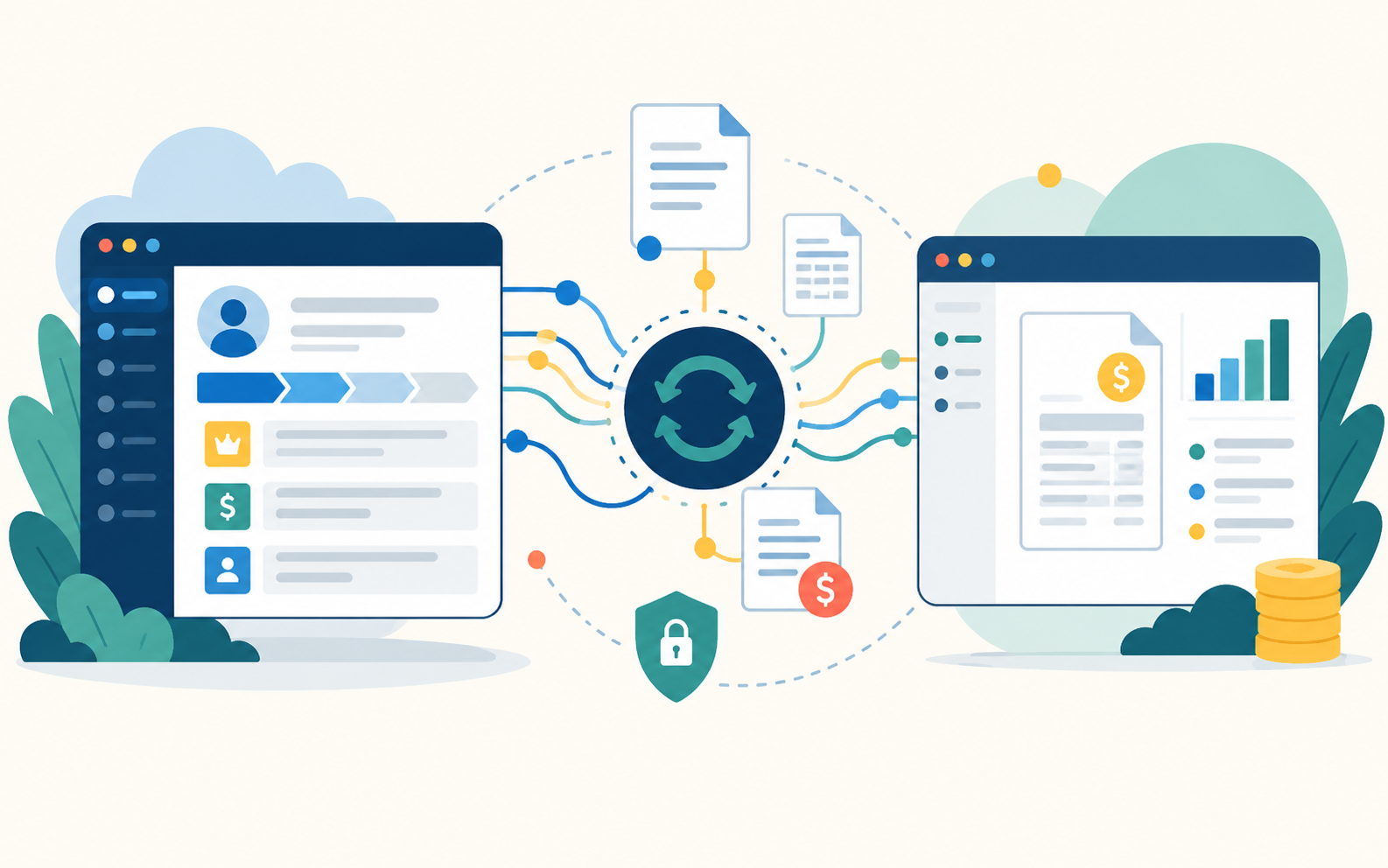
Connecting Salesforce to your accounting system: what to sync and why
Orders, invoices and payments that flow automatically between sales and finance. Here’s how to plan the connection.
Read article →
Pricing in Revenue Cloud Advanced, explained
A plain-language look at how Revenue Cloud Advanced works out a price, and how it differs from pricing in Salesforce CPQ.
Read article →
Cutting technician travel time with smarter scheduling
How the right scheduling setup in Salesforce Field Service gets more jobs done each day, with less time on the road.
Read article →
Five ways Consumer Goods Cloud improves store visits
From visit planning to shelf checks, what changes for field reps, and for the managers who rely on them.
Read article →Want help applying this to your business?
Book a free 45-minute session with a certified consultant.
Salesforce CPQ is no longer getting new features. What should you do next?
Key takeaways
- Salesforce CPQ keeps running, but new features now go into Revenue Cloud Advanced (RCA).
- There’s no need to panic, but there is a reason to plan: the longer you wait, the more you build on a product that isn’t growing.
- Start with a review of your current setup, not with a rebuild.
- Time the move around your renewal cycle, and consider running CPQ and RCA side by side for a while.
If your sales team quotes in Salesforce CPQ, you may have heard that Salesforce is no longer adding new features to it. New pricing, quoting and billing capabilities are going into Revenue Cloud Advanced (RCA) instead.
That raises a fair question for any growing business: do we need to move, and if so, when? This guide walks through what’s changing, what it means for you, and a practical way to plan the move.
What’s actually changing
Salesforce CPQ isn’t switching off. Your quotes, contracts and renewals will keep working. What changes is where Salesforce invests: new features, AI capabilities and improvements now land in Revenue Cloud Advanced.
RCA isn’t just a newer version of CPQ. It’s built differently, with a new way of managing your product catalog, pricing and contracts. That’s good news long term, because it’s more flexible and connects quoting, orders and billing more closely. It also means a move takes real planning, not just a copy-across.
Why it matters for a growing business
Every new product, bundle or pricing rule you add to CPQ today is something you’ll need to move later. Staying put for a while is fine. But if you’re about to make big changes to how you sell, such as new subscription offers, usage-based pricing or a major catalog update, it often makes sense to build them in RCA instead.
Step 1: Review what you have
Before deciding anything, get a clear picture of your current CPQ setup. List:
- Your products and bundles, and how they’re structured
- Price rules, discount schedules and product rules
- Approval processes and quote templates
- Any custom code or plugins
- How many active contracts and subscriptions you have
This review usually shows that some of what you built years ago is no longer needed, and that RCA handles some of it out of the box.
Step 2: Pick your timing
The best time to move is rarely “right now” or “someday”. It’s usually tied to your renewal cycle. If most of your contracts renew in a particular quarter, plan the move so it doesn’t land in the middle of that rush.
Step 3: Redesign, don’t copy
Because RCA works differently, moving every CPQ rule across one by one is the slowest and riskiest approach. A better approach is to redesign your catalog and pricing for RCA, keeping what works and simplifying what grew messy over time.
Step 4: Phase the switch
You don’t have to move everything at once. Many businesses run CPQ and RCA side by side for a while: new deals go through RCA, while existing contracts finish in CPQ or are moved across in batches. Your reps keep quoting throughout, and every active contract still renews at the right price.
When staying on CPQ for now makes sense
If your setup is simple, stable and working well, and you have no big changes planned, it’s reasonable to stay on CPQ for now. Just make the decision on purpose, and revisit it once a year.
The bottom line
You don’t need to rush, but you do need a plan. A short review of your current setup will tell you how big the move is, when to do it, and what you can simplify along the way.
Revenue Cloud Advanced
Plan your move from CPQ to Revenue Cloud Advanced without disrupting active contracts.
Want help applying this to your business?
Book a free 45-minute session with a certified consultant.
More from the blog
Pricing in Revenue Cloud Advanced, explained
A plain-language look at how Revenue Cloud Advanced works out a price, and how it differs from pricing in Salesforce CPQ.
Read article →Your first Agentforce agent: picking the right use case
The best first AI agent is narrow, measurable and close to revenue. Here’s a simple way to choose one.
Read article →Your first Agentforce agent: picking the right use case
Key takeaways
- Start with one narrow job, not a do-everything assistant.
- Pick a task you can measure, so you can prove the value.
- Make sure the data the agent needs is already in Salesforce and up to date.
- Plan exactly when the agent hands off to a person.
AI agents can answer customers, help reps and handle routine work around the clock. But the first agent you build sets the tone for everything that follows. Pick well, and your team sees real value quickly. Pick badly, and AI becomes “that project that didn’t work.”
Here’s how to choose a first Agentforce agent that succeeds.
Start narrow
It’s tempting to build one agent that does everything. Resist it. The agents that work best do one job well, with clear instructions and clear boundaries. You can always add more agents later.
Pick something you can measure
Choose a task where you already know the “before” number, such as how many order-status emails your team answers each week or how long it takes to reply to a new lead. Then you can show exactly what changed once the agent is live.
Stay close to revenue or cost
The easiest agents to justify either help win more business or save your team real time. Following up on new leads, preparing quotes and answering common customer questions are good examples.
Check your data first
An agent is only as good as the information it can see. If the answers it needs live in spreadsheets, email threads or someone’s head, fix that first. The best first use cases rely on data that’s already in Salesforce and kept up to date.
Plan the hand-off
Decide up front when the agent should step aside, for example when a customer is upset, when a request falls outside its job, or when a decision needs human judgment. A smooth hand-off to a person builds trust with customers and with your team.
A quick checklist
A good first agent usually ticks most of these boxes:
- The task happens often, every day or every week
- The rules are clear, and a new employee could learn them quickly
- The data it needs is in Salesforce
- Mistakes are low-risk and easy to catch
- You can measure the result
Good first candidates
- Order status and simple customer questions: high volume, clear answers, easy to measure.
- New lead follow-up: a fast first reply and a booked meeting for your rep.
- Case summaries: give service agents the full picture of a customer in seconds.
- Quote drafts: prepare a quote from a simple request, ready for a rep to review.
The bottom line
Your first agent doesn’t need to be impressive. It needs to be useful, measurable and safe. Get that right, and your second and third agents will be much easier to build.
Agentforce
Find the right first agent for your team, then build, test and launch it safely.
Want help applying this to your business?
Book a free 45-minute session with a certified consultant.
More from the blog
Salesforce CPQ is no longer getting new features. What should you do next?
CPQ still works, but its future is Revenue Cloud Advanced. Here’s how to plan the move around your renewal cycle, and what to review first.
Read article →Connecting Salesforce to your accounting system: what to sync and why
Orders, invoices and payments that flow automatically between sales and finance. Here’s how to plan the connection.
Read article →Connecting Salesforce to your accounting system: what to sync and why
Key takeaways
- Decide which system owns each type of data before you connect anything.
- Most businesses sync customers, products and prices, orders, invoices and payment status.
- Not everything needs to sync instantly. Choose real-time only where speed matters.
- Plan for errors from day one, so nothing fails silently.
When sales works in Salesforce and finance works in an accounting system like QuickBooks, NetSuite or SAP, someone usually ends up re-typing the same information into both. That’s slow, and it’s where mistakes creep in.
Connecting the two systems fixes that. But a good connection starts with a few decisions, not with code.
Decide who owns what
For each type of information, pick one system as the “source of truth”. A common split:
- Salesforce owns leads, opportunities, quotes and customer contacts.
- Your accounting system owns invoices, payments, tax and the general ledger.
- Products and prices can live in either, but only one should be where they’re edited.
Getting this wrong is the main reason integrations end up with conflicting data.
What usually syncs
- Customers: a new account in Salesforce becomes a customer in accounting.
- Products and prices: so reps always quote what finance can bill.
- Orders: a closed deal creates an order or sales invoice automatically.
- Invoices and payment status: so reps can see who has paid before they call a customer.
Real-time or scheduled?
Not everything needs to move instantly. Payment status that updates every hour is fine for most teams, while a new order may need to reach finance right away. Choosing the right timing for each flow keeps the integration simpler and more reliable.
Plan for errors
Things will occasionally go wrong: a missing tax code, a duplicate customer, a system that’s briefly offline. A good integration flags these straight away, retries where it can, and tells someone when it can’t, so records are never silently lost.
Choosing the right tool
For simple, low-volume connections, point-and-click tools like MuleSoft Composer, or integration platforms such as Jitterbit and Celigo, are often enough. For many systems, high volumes or complex logic, MuleSoft’s full platform gives you more control and room to grow. The right choice depends on your size, your systems and your budget.
Start with one flow
You don’t need to connect everything on day one. Start with the flow that causes the most re-typing, usually closed deals becoming invoices. Prove it works, then add the next one.
The bottom line
Connecting sales and finance is one of the quickest ways to save time and reduce errors. Decide who owns what, start with one flow, and plan for errors from the start.
MuleSoft
Connect Salesforce to your ERP, accounting and other business systems.
Want help applying this to your business?
Book a free 45-minute session with a certified consultant.
More from the blog
Salesforce CPQ is no longer getting new features. What should you do next?
CPQ still works, but its future is Revenue Cloud Advanced. Here’s how to plan the move around your renewal cycle, and what to review first.
Read article →Your first Agentforce agent: picking the right use case
The best first AI agent is narrow, measurable and close to revenue. Here’s a simple way to choose one.
Read article →Pricing in Revenue Cloud Advanced, explained
Key takeaways
- Revenue Cloud Advanced (RCA) calculates price as a series of clear steps, from list price to final price.
- Each step does one job, such as applying a volume discount or a customer-specific price.
- Reps can see how a price was reached, which makes it easier to explain to customers.
- If you’re coming from CPQ, plan to redesign your pricing for RCA rather than copy it rule by rule.
Pricing is the heart of any quoting system. If reps don’t trust the number on the quote, they work around the system, and that’s when discounts creep up and errors slip through.
Revenue Cloud Advanced (RCA) takes a different approach to pricing than Salesforce CPQ did. Here’s what that means in plain language.
Price as a series of steps
In RCA, a price is worked out through an ordered set of steps. Salesforce calls this a pricing procedure. Think of it like a recipe: start with the list price, then apply each adjustment in a set order until you reach the final price.
A typical sequence might look like this:
- List price: the standard price from your price book
- Customer or contract price: any special price agreed with this customer
- Volume or tier discount: a lower price for larger quantities
- Option-based adjustments: price changes based on the product options chosen
- Manual discount: what the rep offers, within approved limits
Why steps help
Because each step does one clear job, it’s easier to see how a price was reached. That view is often called a price waterfall. When a customer asks “why is this the price?”, your rep can point to each step instead of guessing.
It also makes pricing easier to change. Adding a new discount or adjusting one step doesn’t mean untangling a web of rules that depend on each other.
How this differs from CPQ
In Salesforce CPQ, pricing logic was often spread across price rules, discount schedules and, in more complex setups, custom code. Over the years, many businesses ended up with rules that only one person fully understood.
RCA brings that logic together in one place, in a clear order. That’s why moving from CPQ works best as a redesign: you map what each old rule was trying to do, then rebuild it as a clean step in RCA, often with fewer moving parts than before.
Getting pricing right
- Start with your real deals. Pull a handful of recent quotes, including your most complicated one, and make sure RCA prices them correctly.
- Keep discounts in policy. Pair pricing with approvals, so larger discounts go to the right person automatically.
- Write it down. Keep a simple description of each pricing step, so the logic doesn’t live in one person’s head again.
The bottom line
Good pricing is predictable, explainable and easy to change. RCA’s step-by-step approach makes all three easier, as long as you design it around how you actually sell.
Revenue Cloud Advanced
Set up pricing your reps can trust and explain to every customer.
Want help applying this to your business?
Book a free 45-minute session with a certified consultant.
More from the blog
Salesforce CPQ is no longer getting new features. What should you do next?
CPQ still works, but its future is Revenue Cloud Advanced. Here’s how to plan the move around your renewal cycle, and what to review first.
Read article →Your first Agentforce agent: picking the right use case
The best first AI agent is narrow, measurable and close to revenue. Here’s a simple way to choose one.
Read article →Cutting technician travel time with smarter scheduling
Key takeaways
- Every hour on the road is an hour not spent on a job, so travel time is one of the biggest costs in field service.
- Clear service territories keep technicians working close to home.
- Scheduling rules should match jobs to skills, location and availability automatically.
- Leave room in the schedule for urgent jobs, so one emergency doesn’t wreck the whole day.
For most field service businesses, travel is the hidden cost. Technicians criss-cross the same area several times a day, jobs get scheduled in the order they were booked rather than the order that makes sense, and one late job knocks everything else off track.
Salesforce Field Service can take much of that waste out of the day, but only if scheduling is set up well. Here’s where to start.
Set up sensible territories
Service territories define the area each technician or team covers. When they’re drawn well, technicians spend their day in one part of town instead of driving across the whole region. Start from where your technicians live and where your customers actually are, not from old postal-code lists.
Match jobs to the right person
Scheduling rules decide who can do each job. The basics are:
- Skills: only send technicians who are qualified for the work
- Location: prefer the nearest available technician
- Availability: respect working hours, breaks and time off
- Customer preferences: the same technician for repeat visits, where it matters
When these rules are clear, the system can suggest or assign the best technician automatically, instead of a dispatcher working it out by hand.
Decide what “best” means for you
Different businesses care about different things. Some want the fewest kilometres driven. Others care most about arriving within a promised time window, or keeping urgent customers happy. Field Service lets you weigh these priorities, so the schedule reflects what actually matters to your business.
Leave room for the unexpected
Emergencies happen. If every minute of the day is booked, one urgent job pushes everything else late. Keeping a little capacity free, or having a clear rule for which jobs can move, keeps the day under control.
Give technicians the full picture
Smarter scheduling is only half the story. Technicians also need the job details, customer history and parts list on their phone before they arrive. That’s what cuts repeat visits, and repeat visits are the most expensive kind of travel.
The bottom line
Less time on the road means more jobs per day, happier technicians and customers who aren’t left waiting. Start with good territories and clear scheduling rules, then fine-tune from there.
Field Service
Get the right technician to the right job, the first time.
Want help applying this to your business?
Book a free 45-minute session with a certified consultant.
More from the blog
Salesforce CPQ is no longer getting new features. What should you do next?
CPQ still works, but its future is Revenue Cloud Advanced. Here’s how to plan the move around your renewal cycle, and what to review first.
Read article →Your first Agentforce agent: picking the right use case
The best first AI agent is narrow, measurable and close to revenue. Here’s a simple way to choose one.
Read article →Five ways Consumer Goods Cloud improves store visits
Key takeaways
- Plan visits around opportunity, not habit.
- Give reps a clear checklist for every store.
- Capture shelf, price and promotion checks with photos, not paper.
- Take orders during the visit, and give managers a live view of what’s happening in store.
For brands that sell through retail, the store visit is where sales are won or lost. But many field teams still plan visits by habit, record checks on paper and send orders in at the end of the day.
Consumer Goods Cloud is built to fix that. Here are five things that change for your reps.
1. Visits planned around opportunity
Instead of visiting the same stores every week out of habit, reps get visit plans based on what each store is worth and what needs attention. High-value stores and stores with problems get more time. Quiet stores get less.
2. A clear checklist for every visit
Each visit comes with a list of tasks, such as checking the shelf, confirming prices, setting up a display or talking to the store manager. Reps know exactly what to do, and new reps get up to speed faster.
3. Shelf checks with photos, not paper
Reps record what’s on the shelf, what’s missing, what it costs and whether promotions are in place, using simple forms and photos on their phone. That information reaches managers the same day, not at the end of the month.
4. Orders taken on the spot
When a store needs more stock, reps take the order during the visit, with up-to-date products and prices at hand. No more writing orders down and re-typing them later, and far fewer mistakes.
5. Managers see what’s really happening
Because every visit, check and order is recorded as it happens, managers get a live view of store performance. They can spot problems early, such as a competitor taking shelf space or a promotion that never went up, and act before sales drop.
It works where reps work
Stores often have poor signal. The mobile app works offline, so reps can complete visits, checks and orders anywhere, and everything syncs when they’re back online.
The bottom line
Better planning, better data and faster orders add up to more productive reps and better-run shelves. And the information your team collects in store becomes one of your most valuable sales tools.
Consumer Goods Cloud
Better store visits, better shelves, more orders.
Want help applying this to your business?
Book a free 45-minute session with a certified consultant.
More from the blog
Salesforce CPQ is no longer getting new features. What should you do next?
CPQ still works, but its future is Revenue Cloud Advanced. Here’s how to plan the move around your renewal cycle, and what to review first.
Read article →Your first Agentforce agent: picking the right use case
The best first AI agent is narrow, measurable and close to revenue. Here’s a simple way to choose one.
Read article →Tell us what you’re working on.
Book a free 45-minute discovery workshop, ask about SystemMaster, or get a second opinion on your Salesforce org.